Introducing ChronicleVTT: Battlemaps That Come Alive
A virtual tabletop built around one idea — what if your maps could change mid-session, and everyone saw it happen together?
I've been running D&D games for years, and there's always been a gap between what I imagine and what I can show my players. The floor collapses. The storm rolls in. The ancient door creaks open to reveal what's inside. In my head, these are cinematic moments. On most VTTs, they're... me swapping a JPEG and saying "okay, imagine it's raining now."
ChronicleVTT is my attempt to close that gap.
The Core Idea: Three-State Maps
Every scene in ChronicleVTT can have up to three states: Before, Transition, and After. You load them up ahead of time, and when the moment comes, you just click. The transition plays out — an animated GIF of the floor giving way, the rain beginning to fall, the fire spreading — and then it settles on the new state.

Your players don't see you fumbling with files. They just see the floor collapse. That's the magic I wanted.
Built for D&D 5e (But Not Only)
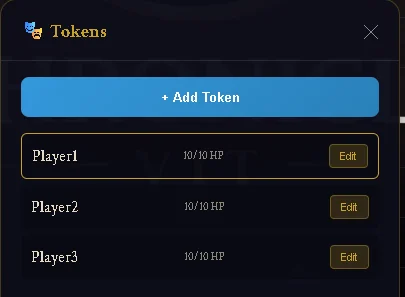
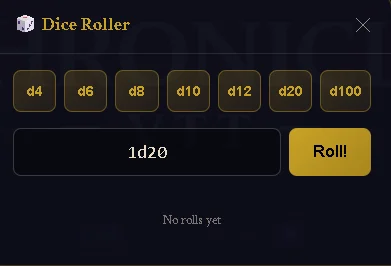
ChronicleVTT is focused on D&D 5e because that's what I run. The token system tracks HP, AC, initiative modifiers, and spell slots. The dice roller handles all the standard polyhedrals with a shared log so everyone sees the results. But there's nothing stopping you from using it for Pathfinder, OSR games, or anything else — it's not locked into any particular ruleset.
Real-Time Multiplayer That Just Works
One of the things that frustrated me about other solutions was the setup. Port forwarding, hamachi, "can you see my screen?", screen share lag. I wanted something where I could send a code and people just... join.
ChronicleVTT runs in the browser. The GM creates a room, shares the code, players enter it, and everyone's connected. Token movements, HP changes, dice rolls, map transitions — everything syncs in real-time. No downloads, no configuration.
Behind the scenes, this was the hardest part to get right. Early versions tried to sync the actual map image data, which crashed connections when GIFs got large. The solution was storing maps in cloud storage and just syncing URLs — much more reliable.
The GM Toolkit
Beyond the map transitions, I've been building out the tools I actually reach for during sessions:
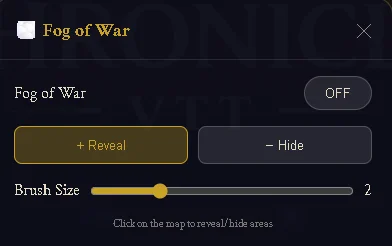
Fog of War
Paint to reveal, paint to hide. Simple brush controls, and it syncs to players so they only see what you've uncovered. Essential for dungeon crawls.
Audio Manager & Soundboard
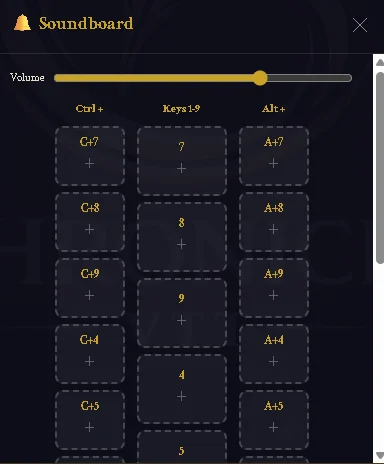
Background music with looping, a separate narration channel, and a soundboard with hotkeys for quick sound effects. Thunder on Ctrl+7, tavern ambience on Ctrl+8 — that kind of thing.

Grid Customisation
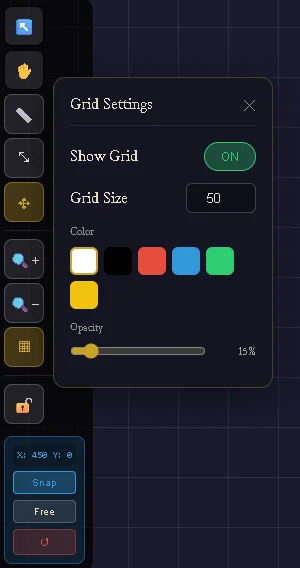
Show it, hide it, change the size, change the colour. Snap tokens to grid or let them move freely. Small thing, but it matters.
What's Next
ChronicleVTT is currently in development, with a pre-alpha test planned for Q1 2026. There's still work to do — more polish, more testing with real groups, and probably features I haven't thought of yet.
If you want to follow along, sign up below. I'll send occasional updates when there's something worth sharing — new features, dev insights, and eventually access to the pre-alpha when it's ready.
Follow the Development
Get occasional updates on new features and be first to know when testing opens.
Thanks for reading. More soon.
— Stephen, Chronicle Games